Billo

Billo Invoice Management

Visual Feature Guide

A screen-by-screen walkthrough of the platform

Multi-Vendor GST Compliant WhatsApp + Email Client Portal Free Trial 8 Themes

March 2026

Table of Contents

1

Login & Authentication

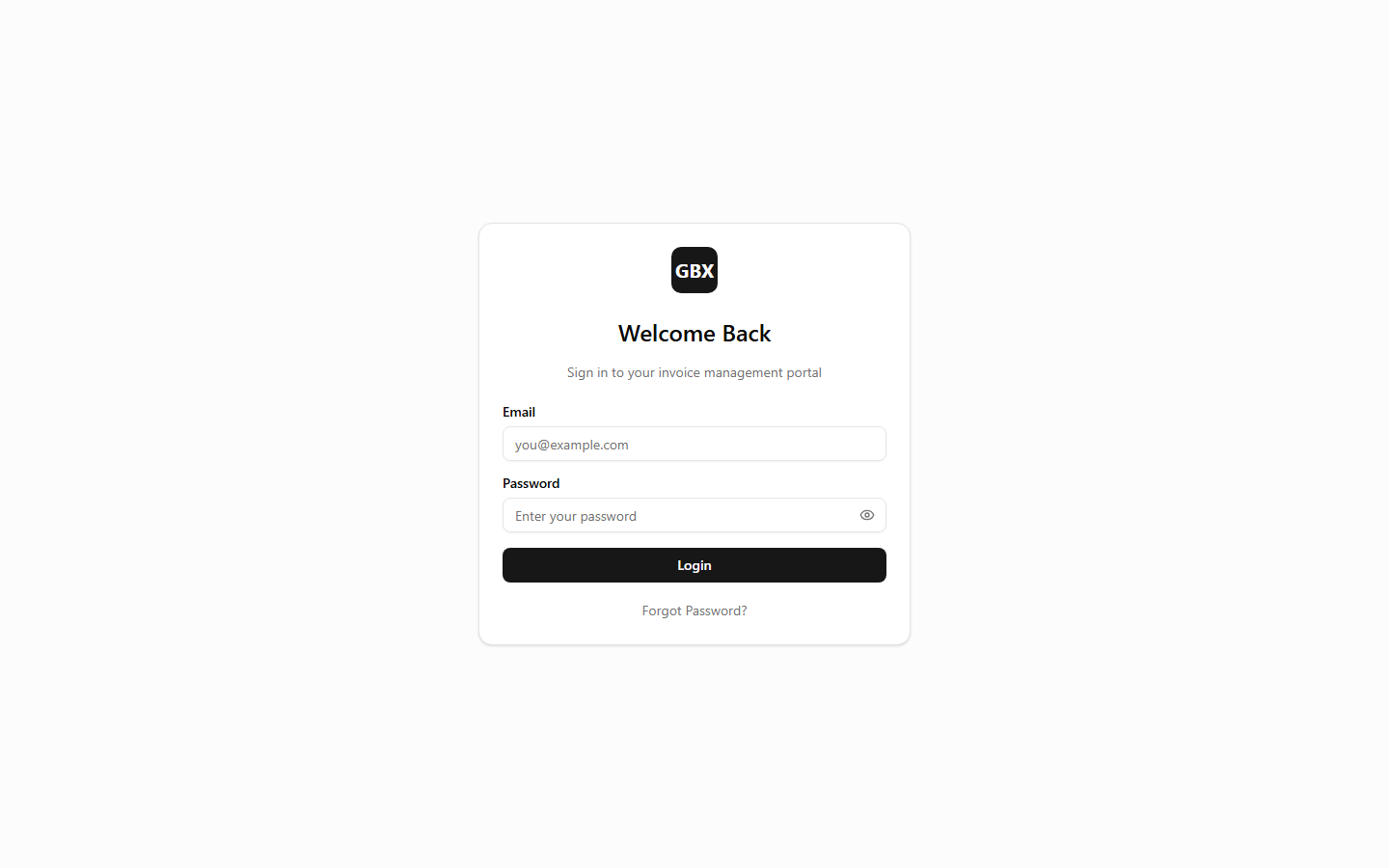
Clean login page with email and password fields, a "Forgot Password" link, and a "Sign Up" option for new vendors. The platform uses JWT-based authentication with secure token refresh, ensuring sessions remain active without requiring repeated logins. New vendors can self-register with a 14-day free trial.

Key Callouts

Login & Authentication
2

Dashboard

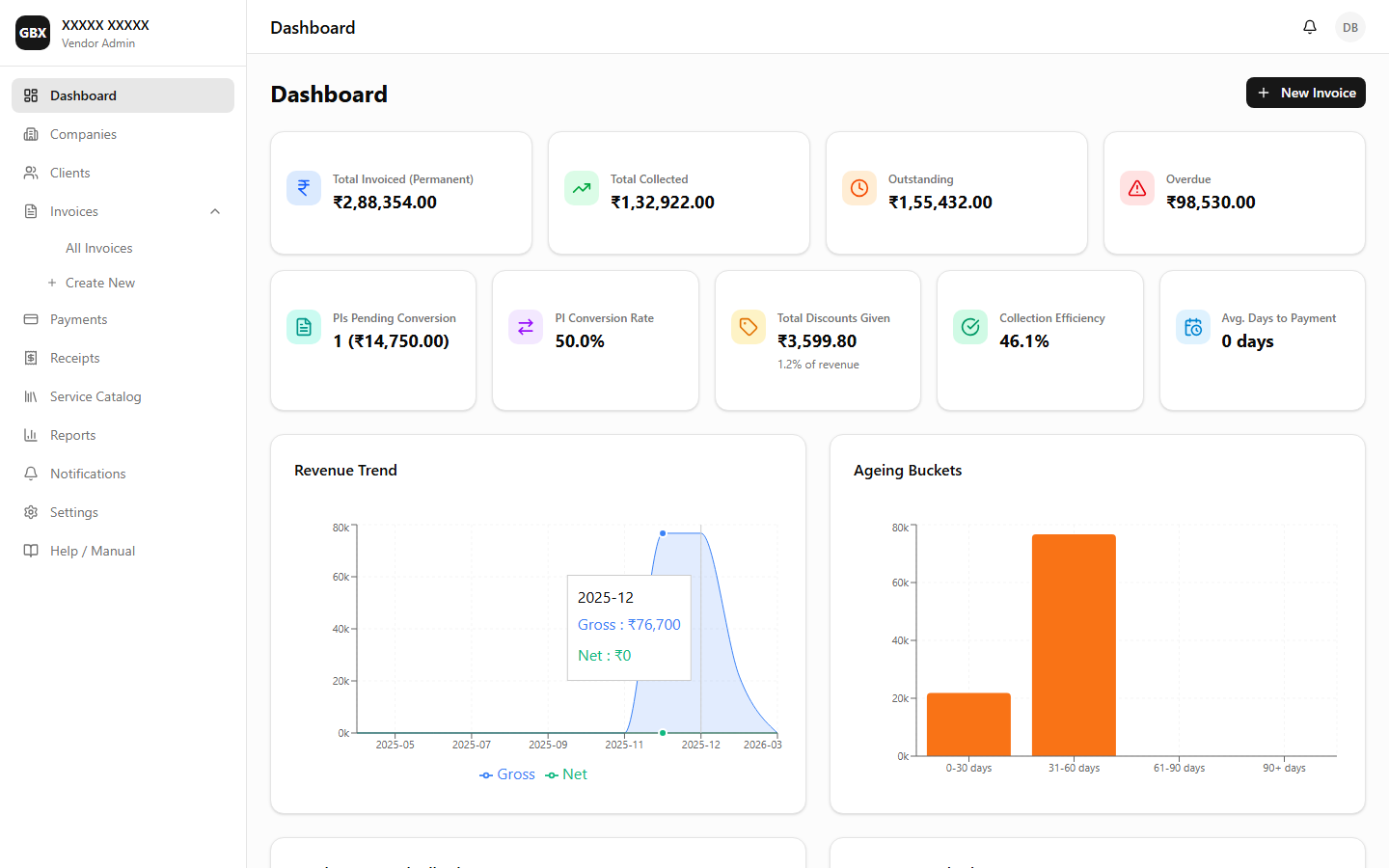
Real-time business health overview with KPIs, revenue trends, ageing analysis, status distribution, and top outstanding clients.

Key Callouts

Dashboard — Business health overview with KPIs and charts
Full Platform Walkthrough
3

Companies

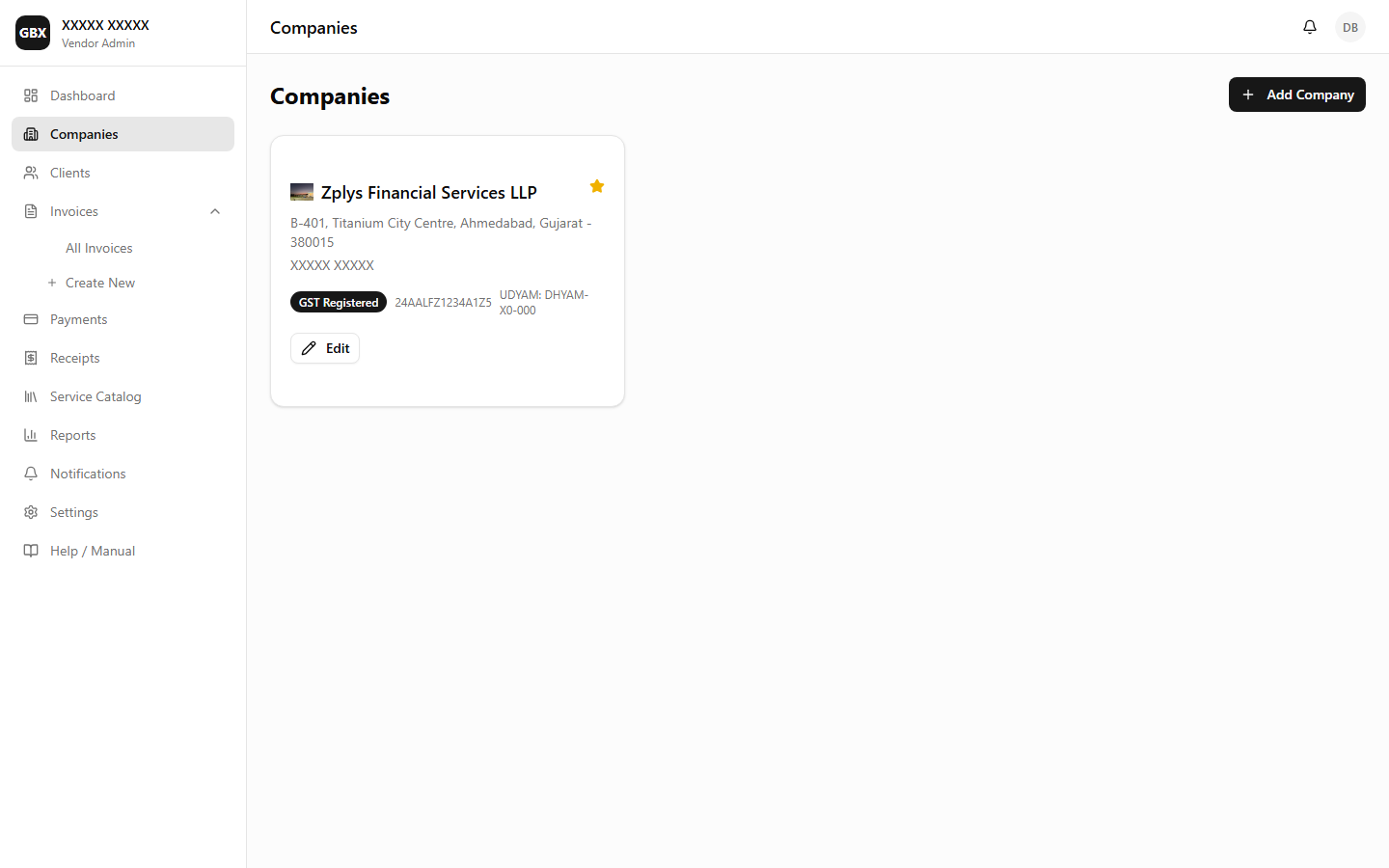
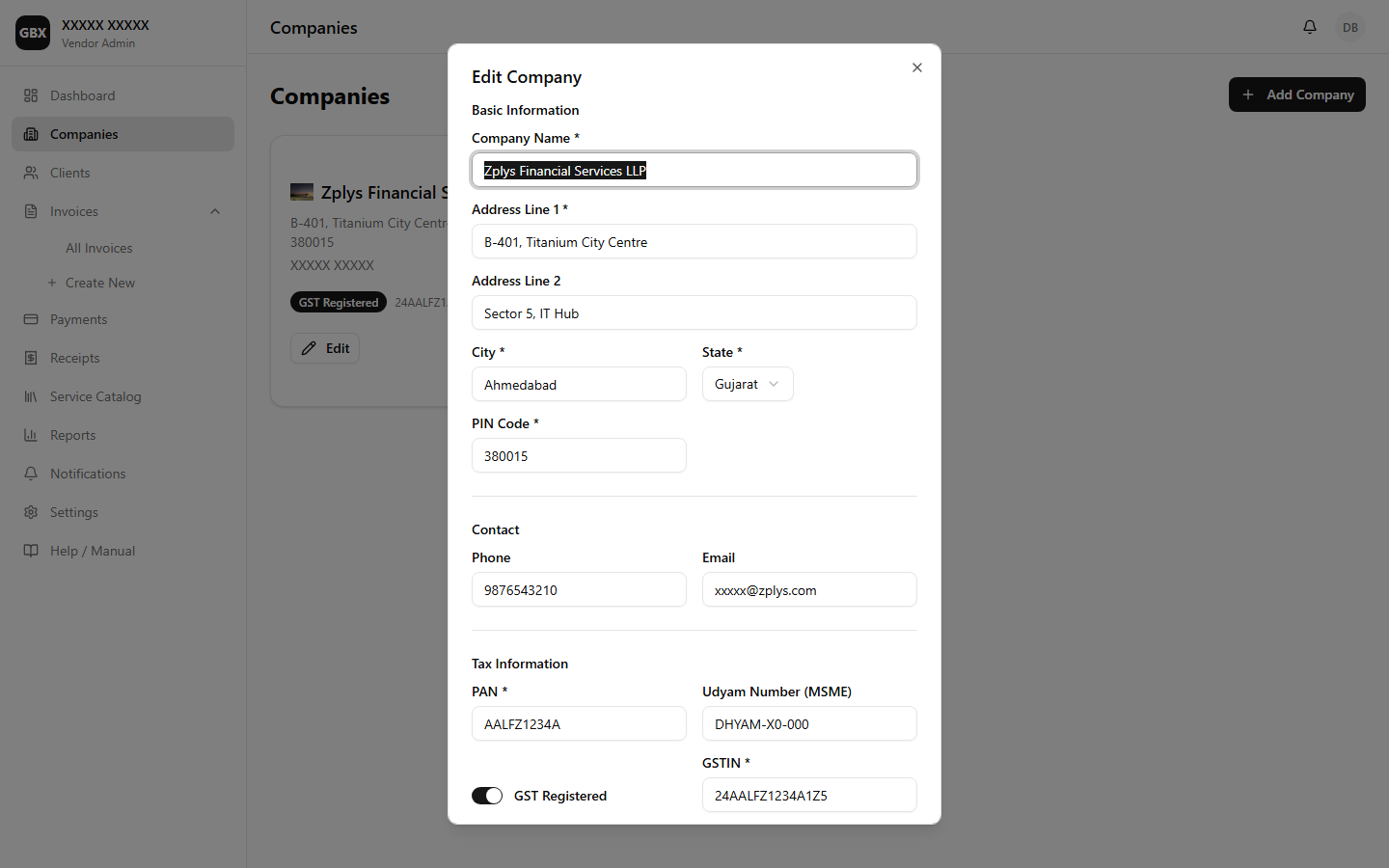
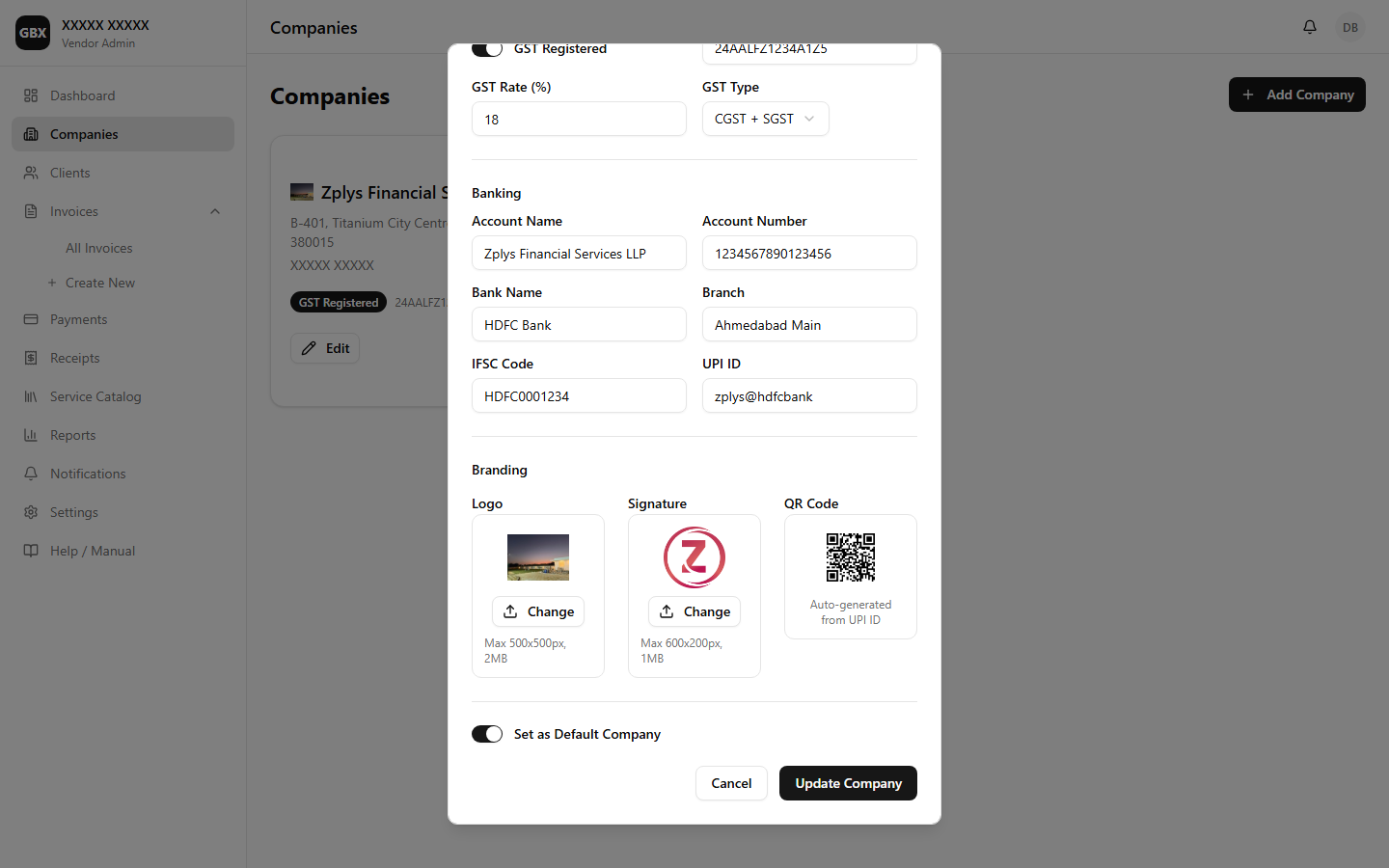
Manage multiple companies under one account. Each company has separate GST details, bank information, branding (logo and signature), and QR code generation.

Key Callouts

Companies — Company list view
Company Edit Form
Company Edit Form
Company Logo & Signature Upload
Create a Company
4

Clients

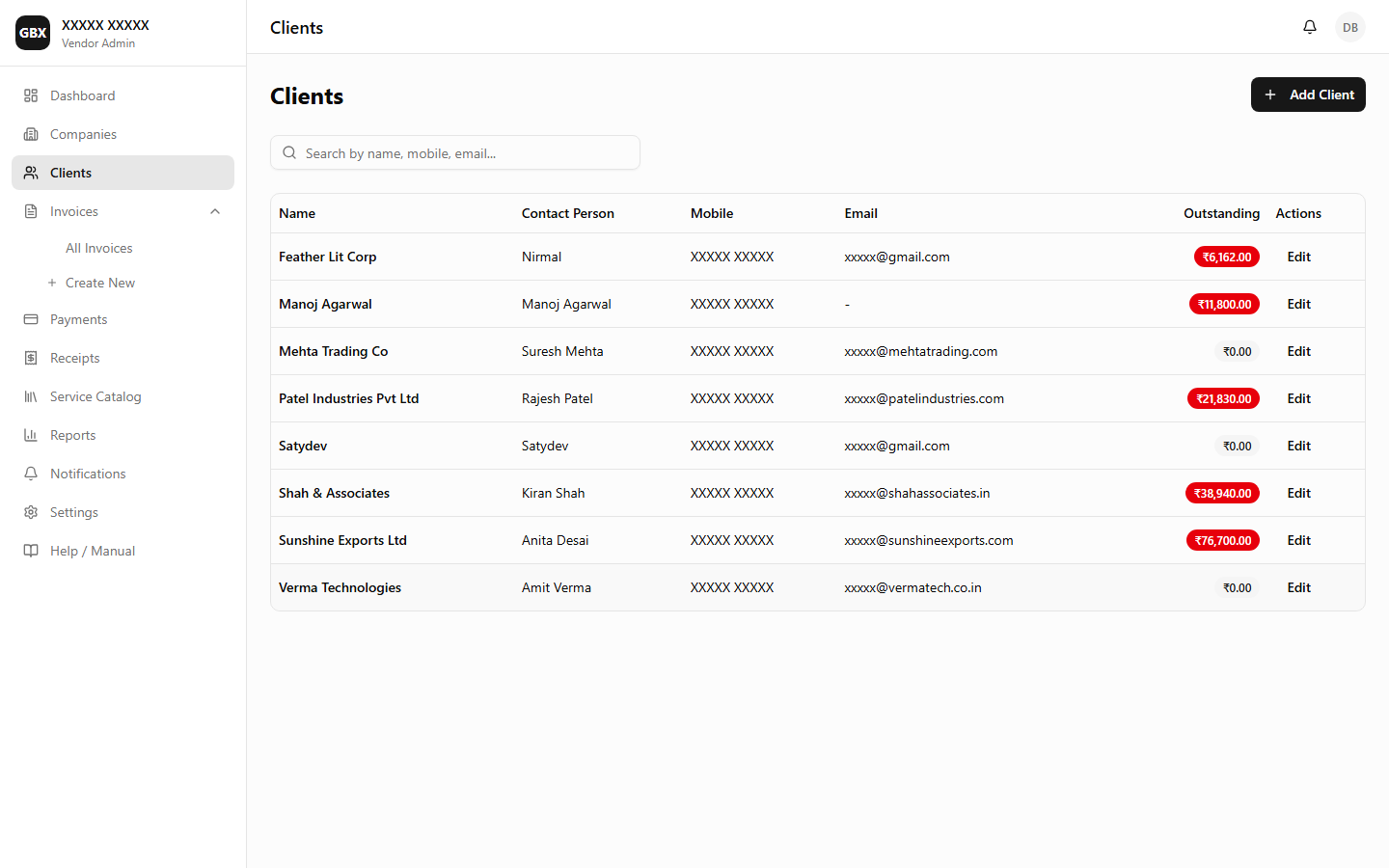
Centralized client management with GSTIN validation, contact details, and bulk import via Excel. Search and filter clients across all companies.

Key Callouts

Clients — Client list with search and filters
Create a Client
5

Service Catalog

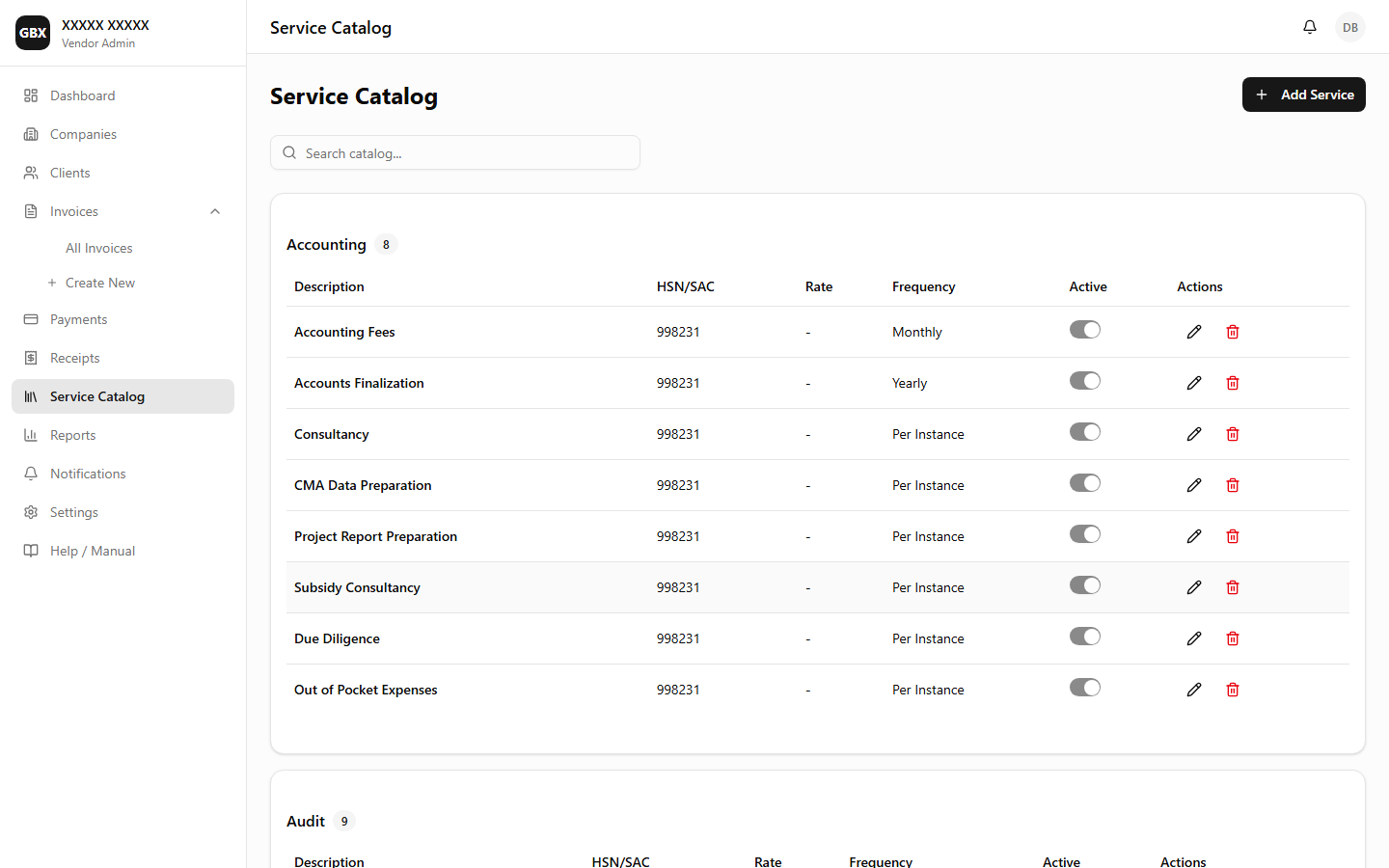
Maintain a reusable catalog of services with HSN/SAC codes, default rates, GST categories, and Excel import/export support.

Key Callouts

Service Catalog — Catalog items with HSN/SAC codes
Add Catalog Item
6

Create Invoice

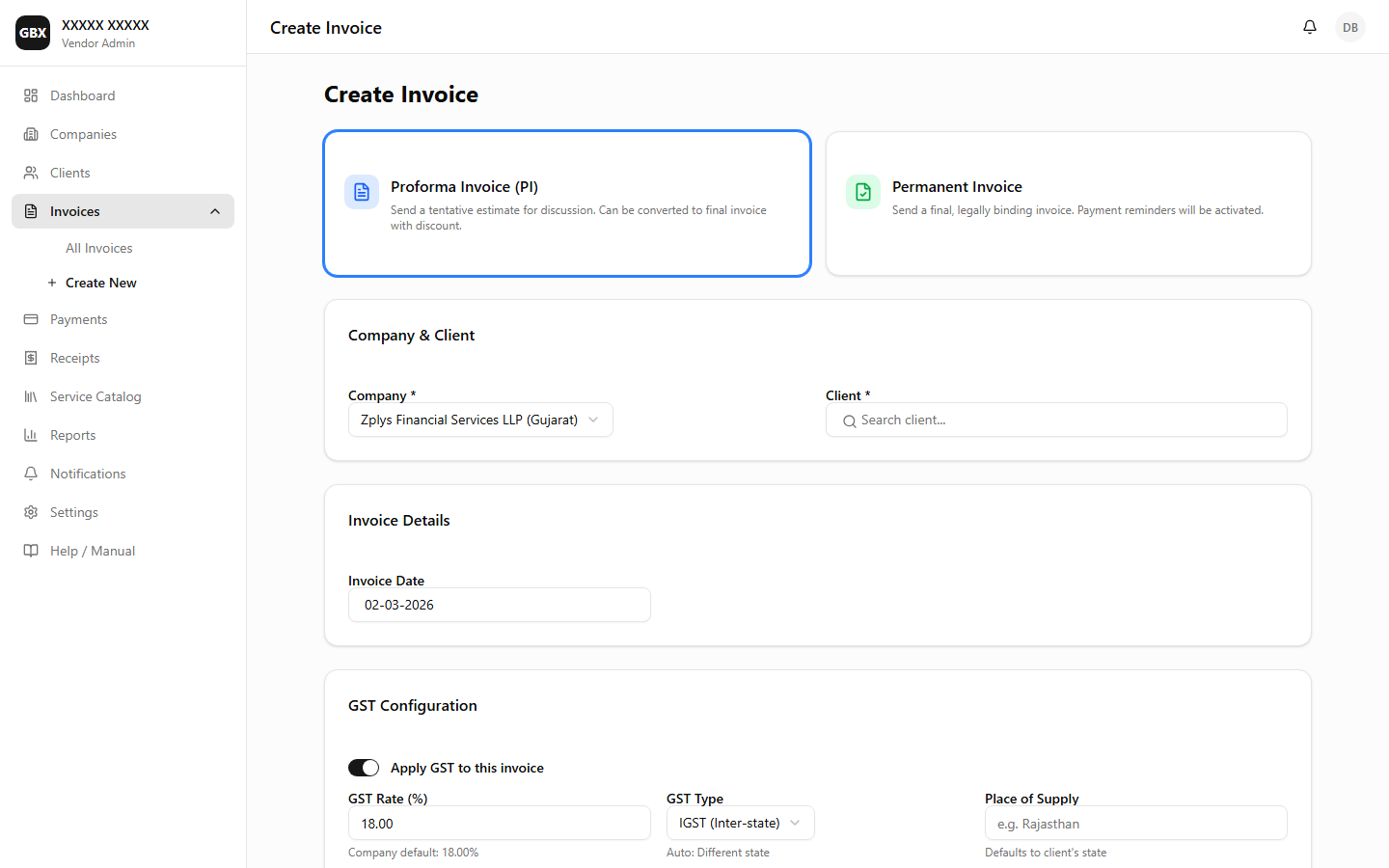
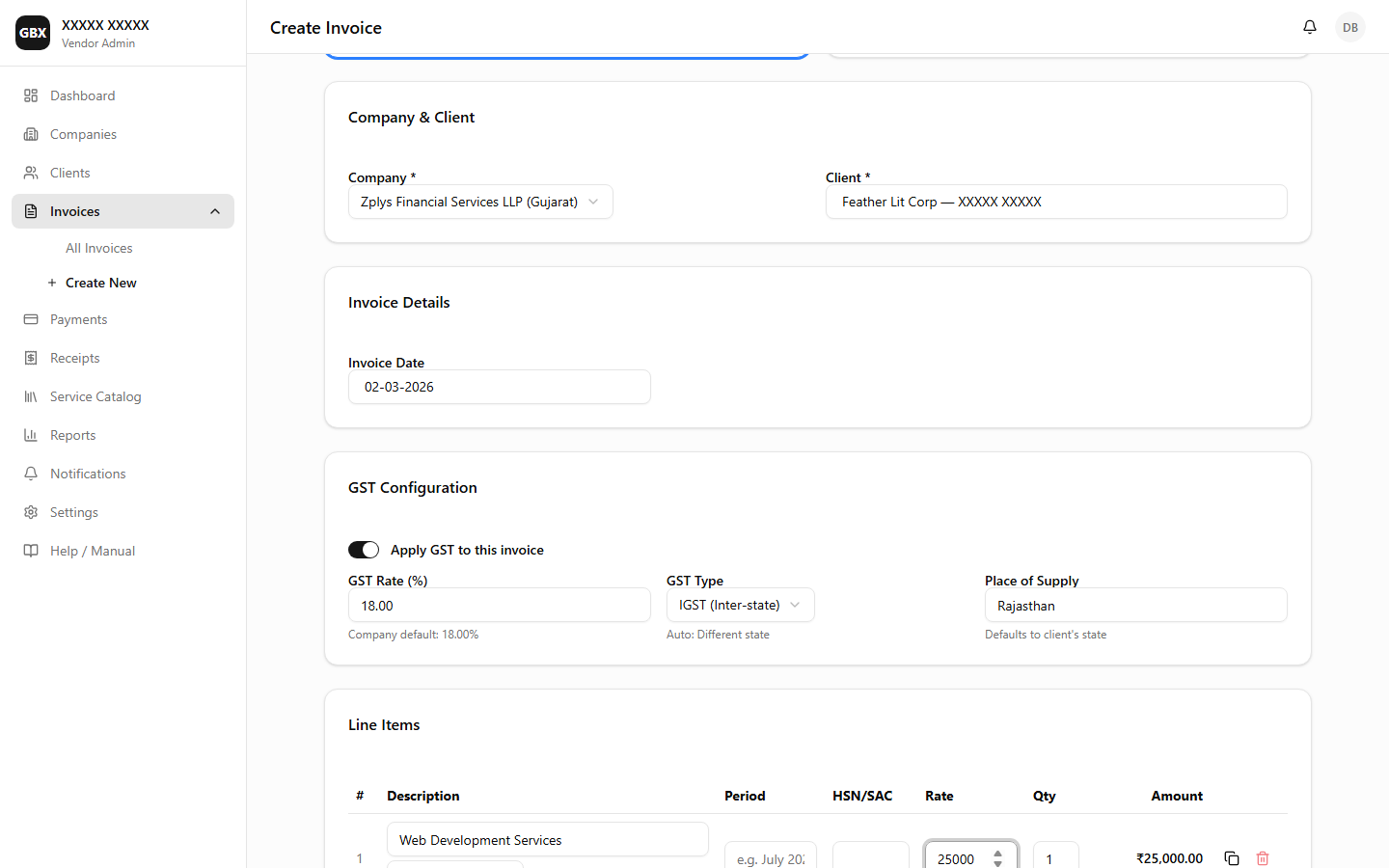
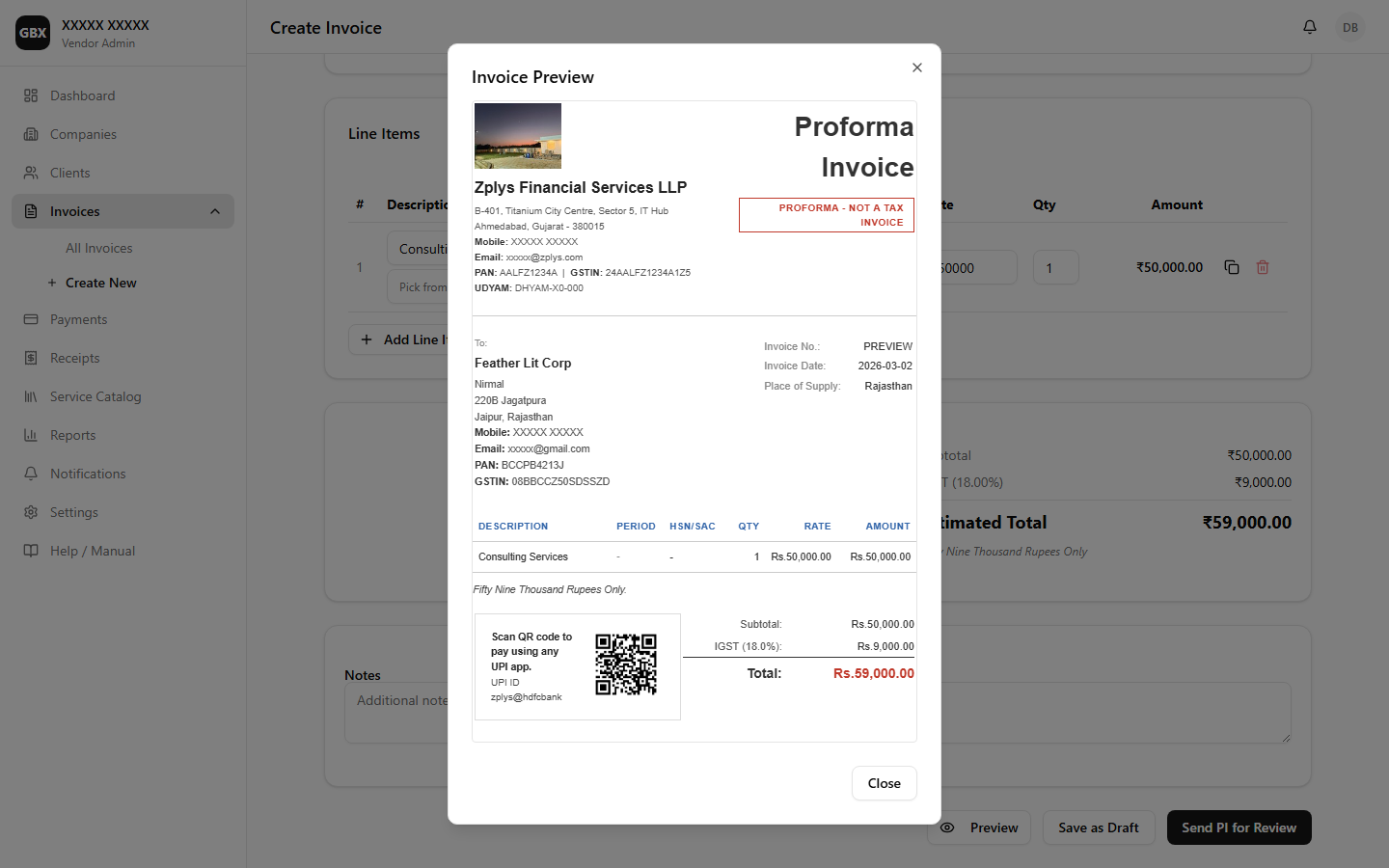
Create professional GST-compliant invoices with auto-calculated CGST/SGST/IGST based on Place of Supply. Add multiple line items, apply discounts, and preview before sending.

Key Callouts

Create Invoice — Empty form with company and client selection
Create Invoice — Form filled with company, client, and line items
Invoice HTML Preview
Create Proforma Invoice
Create Permanent Invoice
7

Invoice List

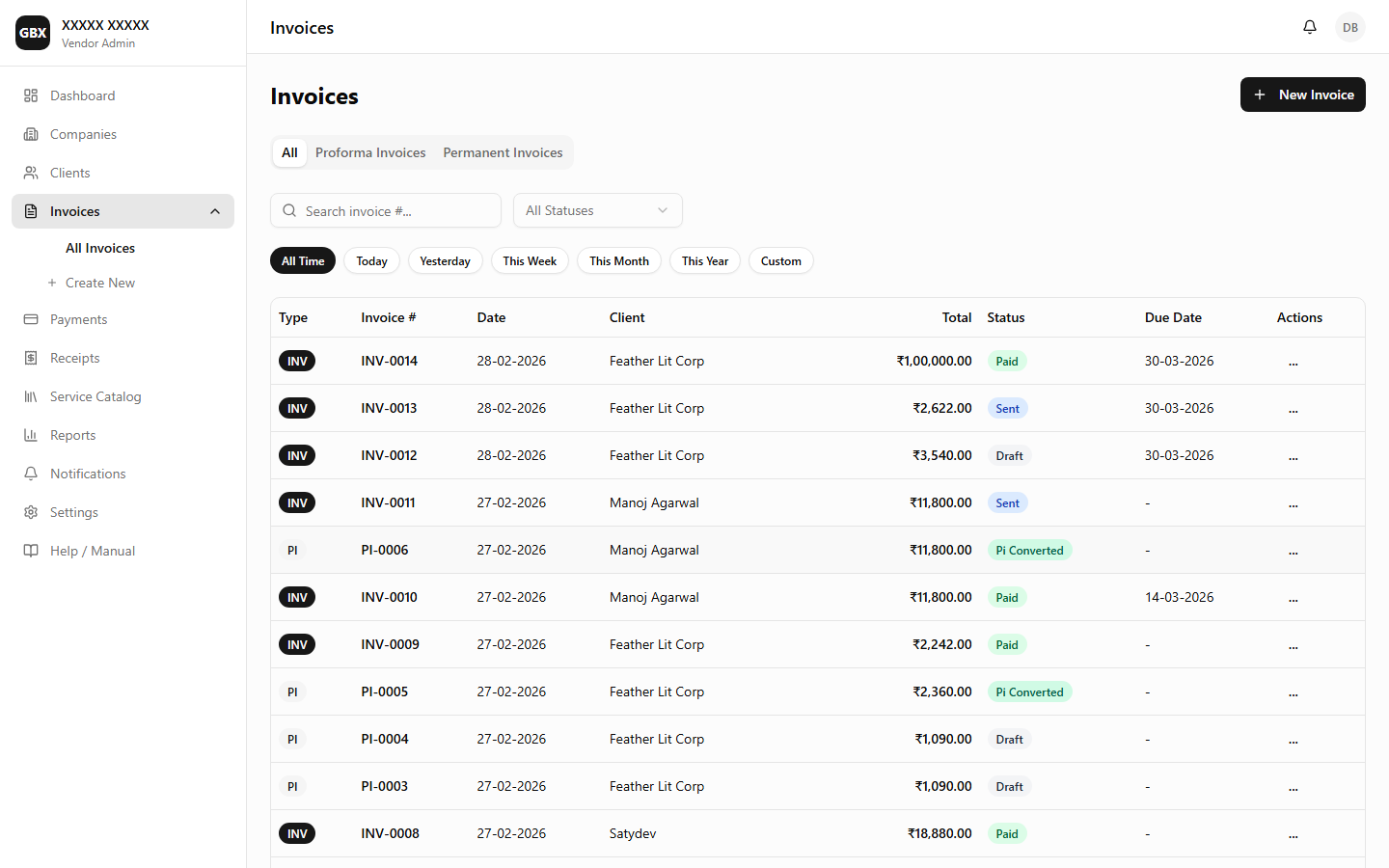
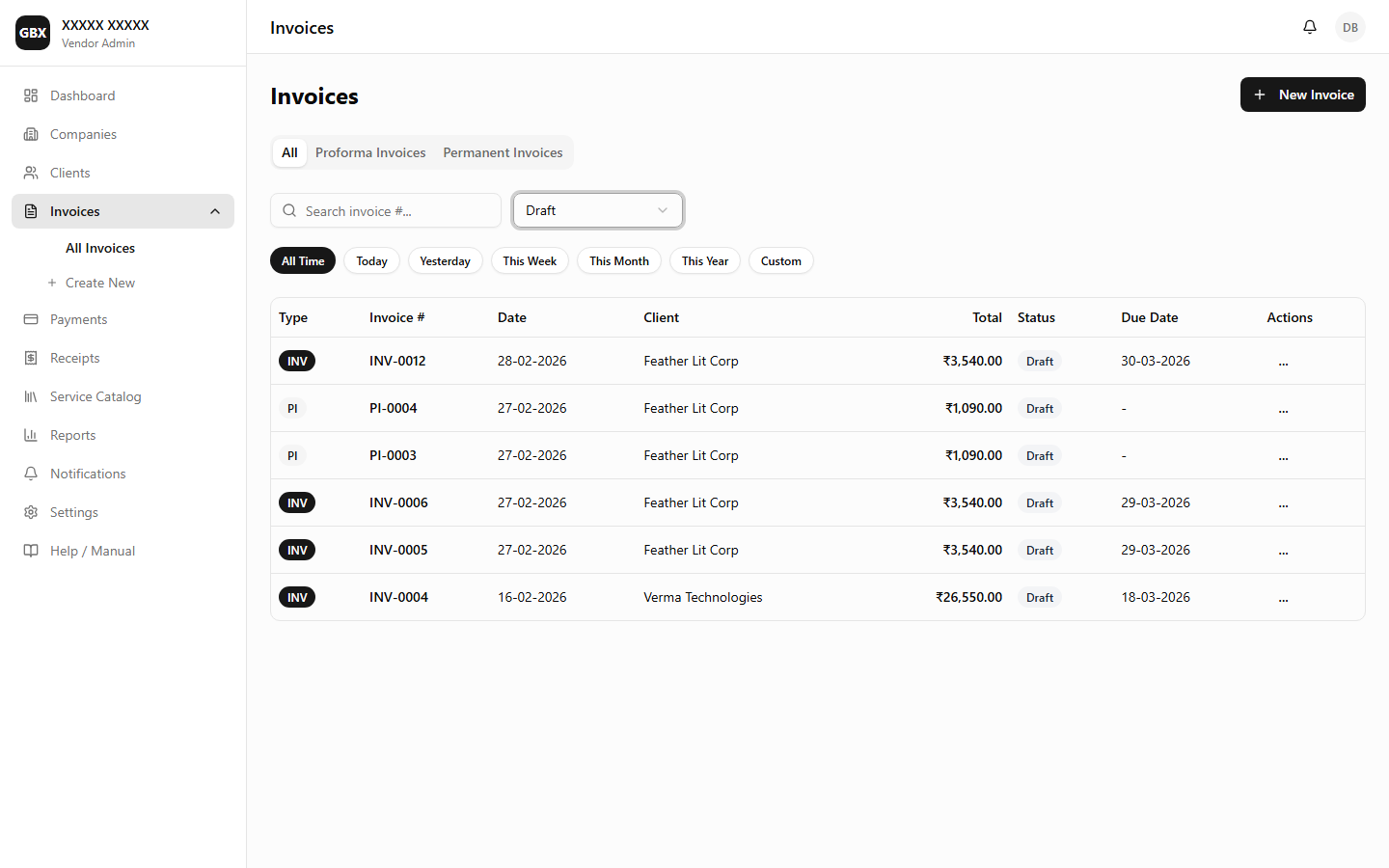
All invoices in one place with powerful search, filters by status and date range, and quick actions. Supports both Tax Invoices and Proforma Invoices.

Key Callouts

Invoice List — All invoices with status filters
Invoice List — Draft invoices ready to send
Edit & Send Draft Invoice
8

Invoice Detail

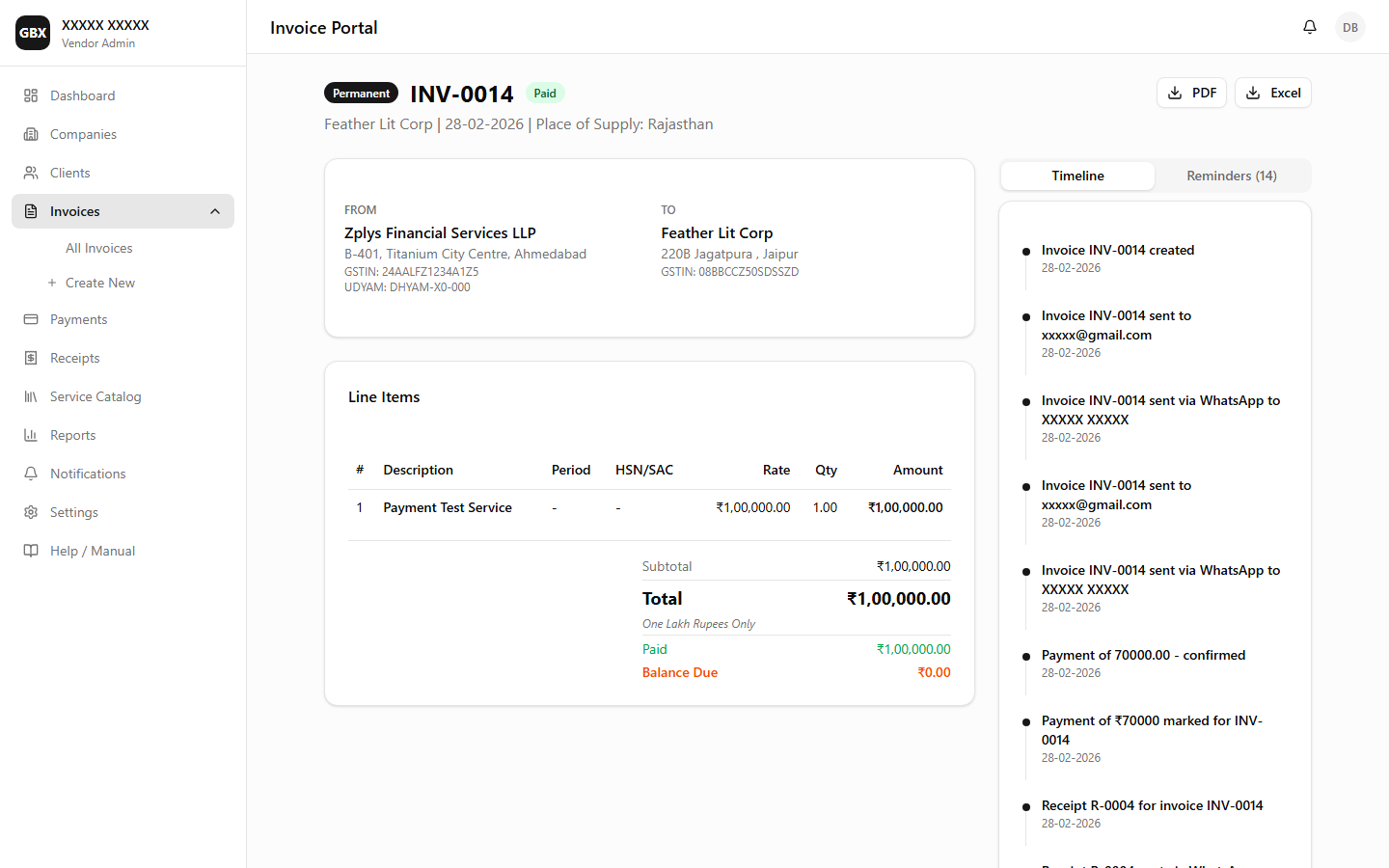
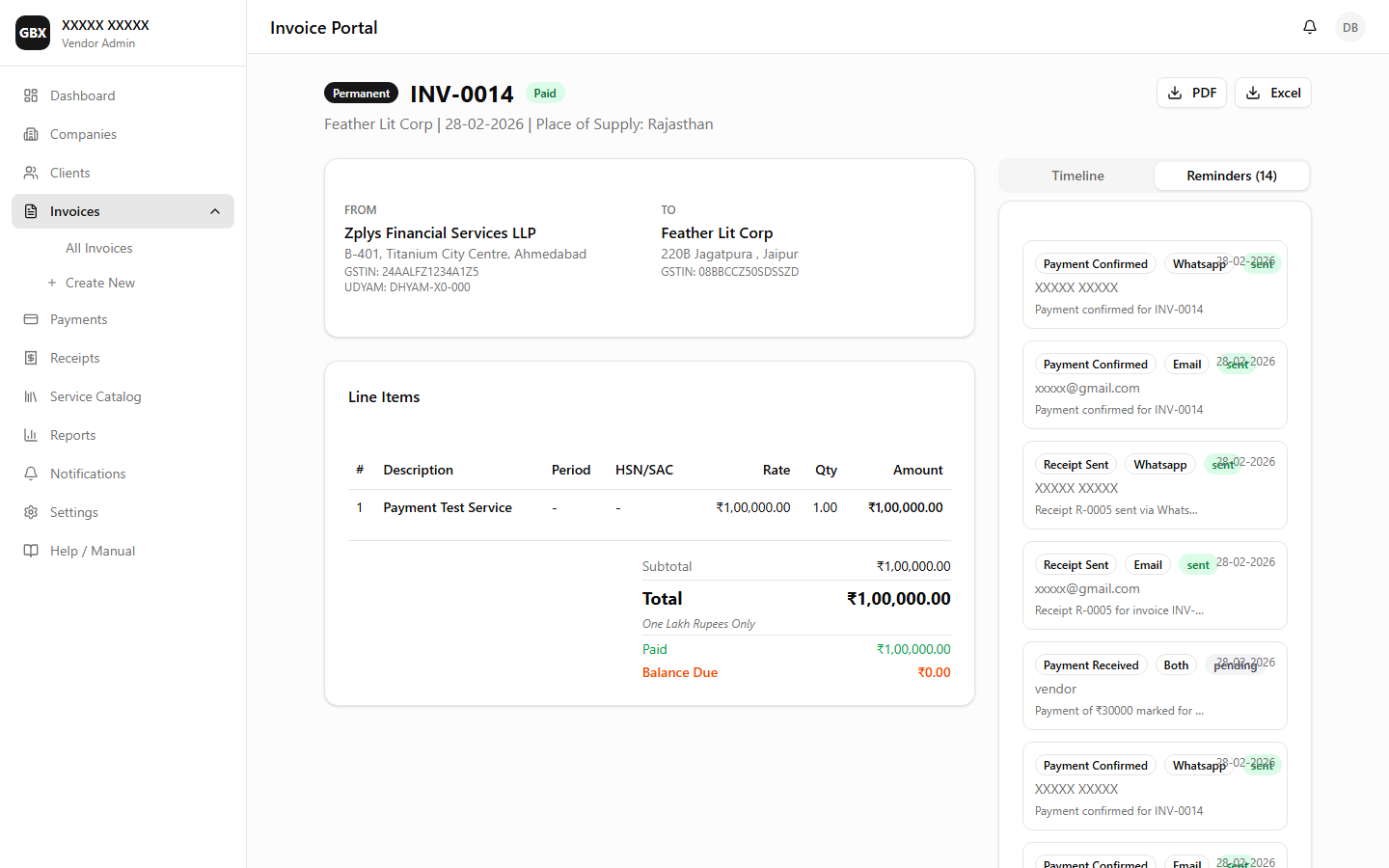
Full invoice detail page with timeline of events, reminder history, payment status, and action buttons for sending, converting, and downloading.

Key Callouts

Invoice Detail — Summary with action buttons
Invoice Detail — Full page with action buttons
Invoice Detail — PDF download action
Invoice Detail — Reminders tab showing notification history
Invoice Preview
9

PI to Permanent Conversion

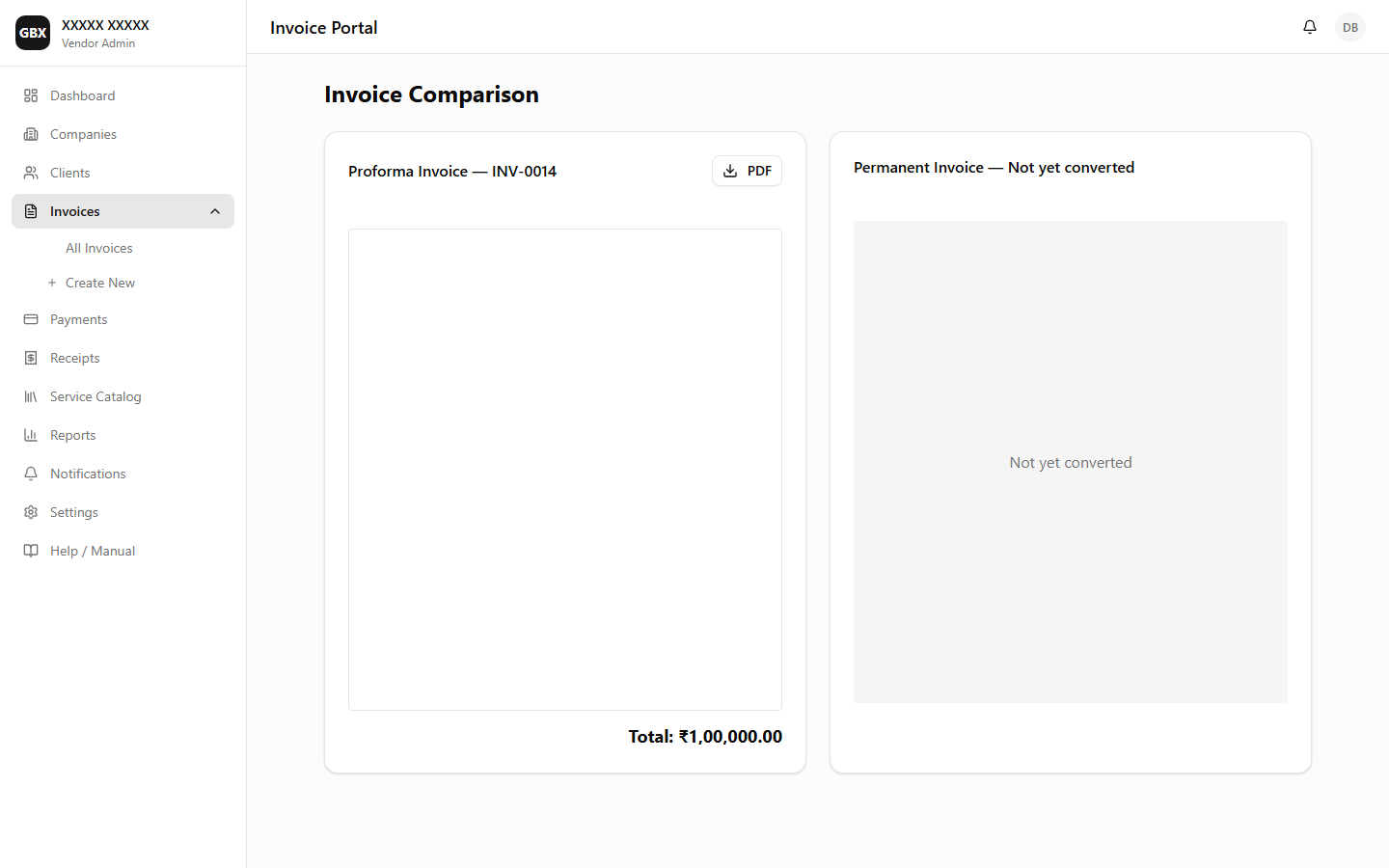
Unique workflow to convert Proforma Invoices to permanent Tax Invoices with discount negotiation and side-by-side comparison.

Key Callouts

PI to Permanent — Conversion with discount negotiation
Convert PI to Permanent
10

Payments

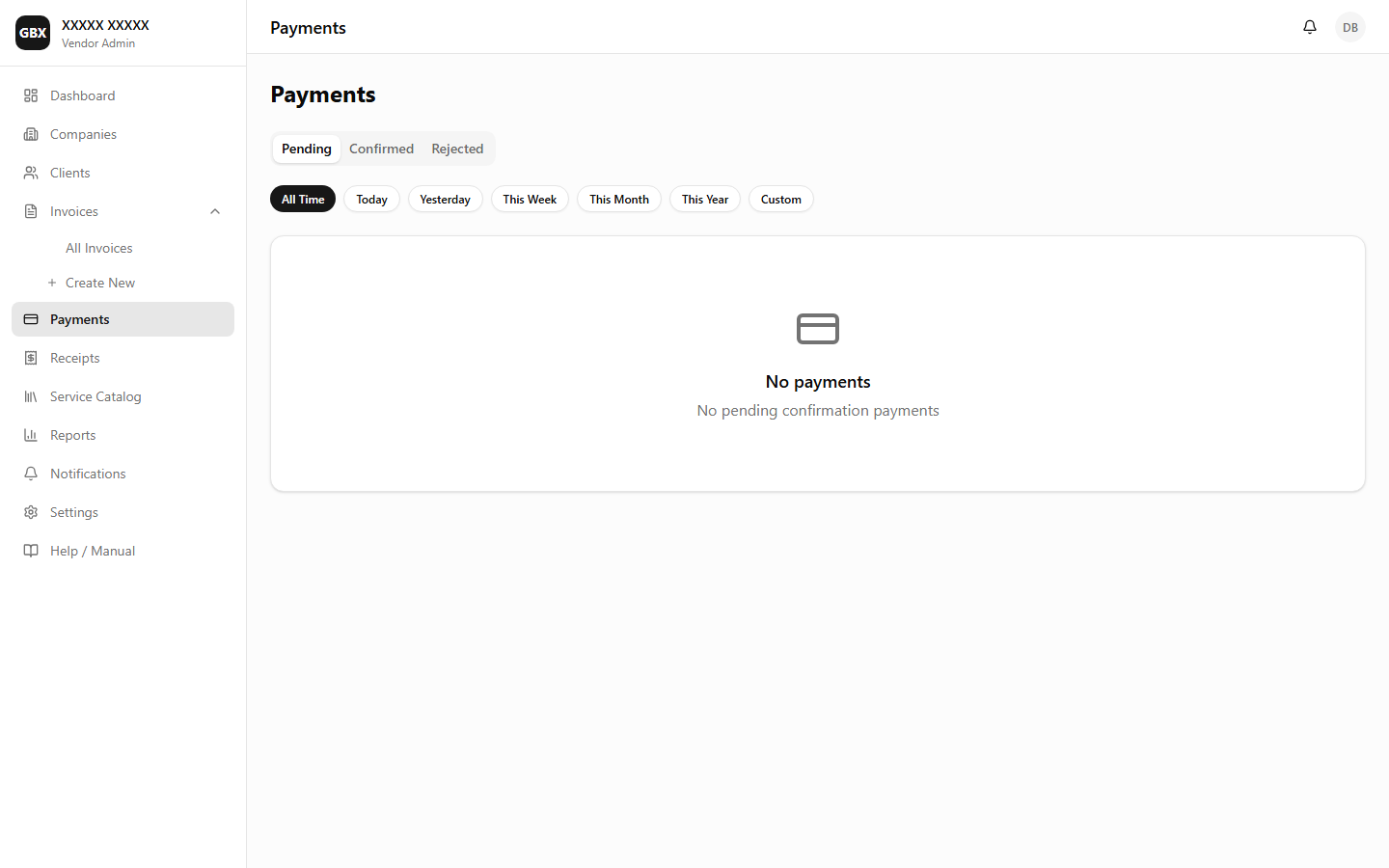
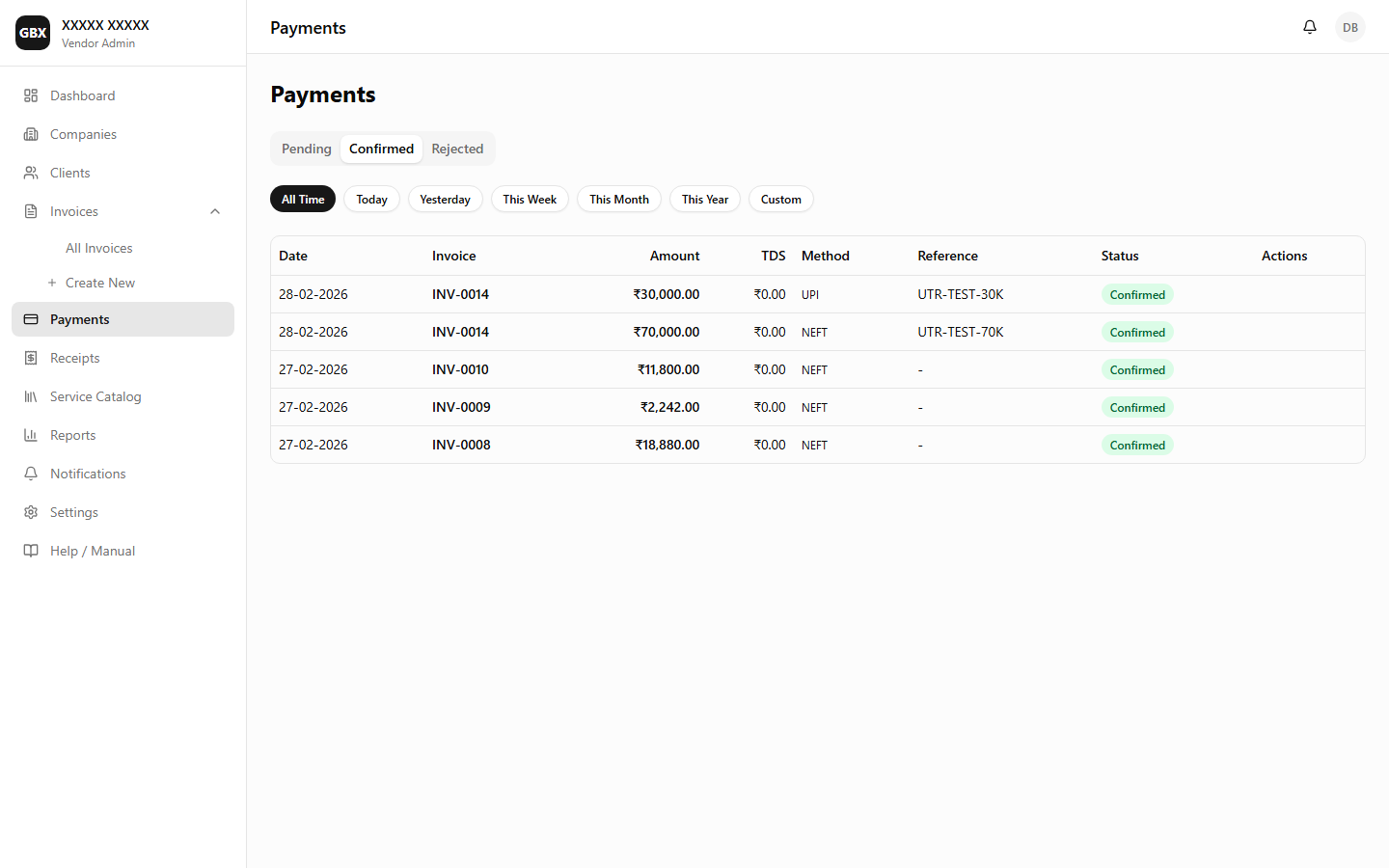
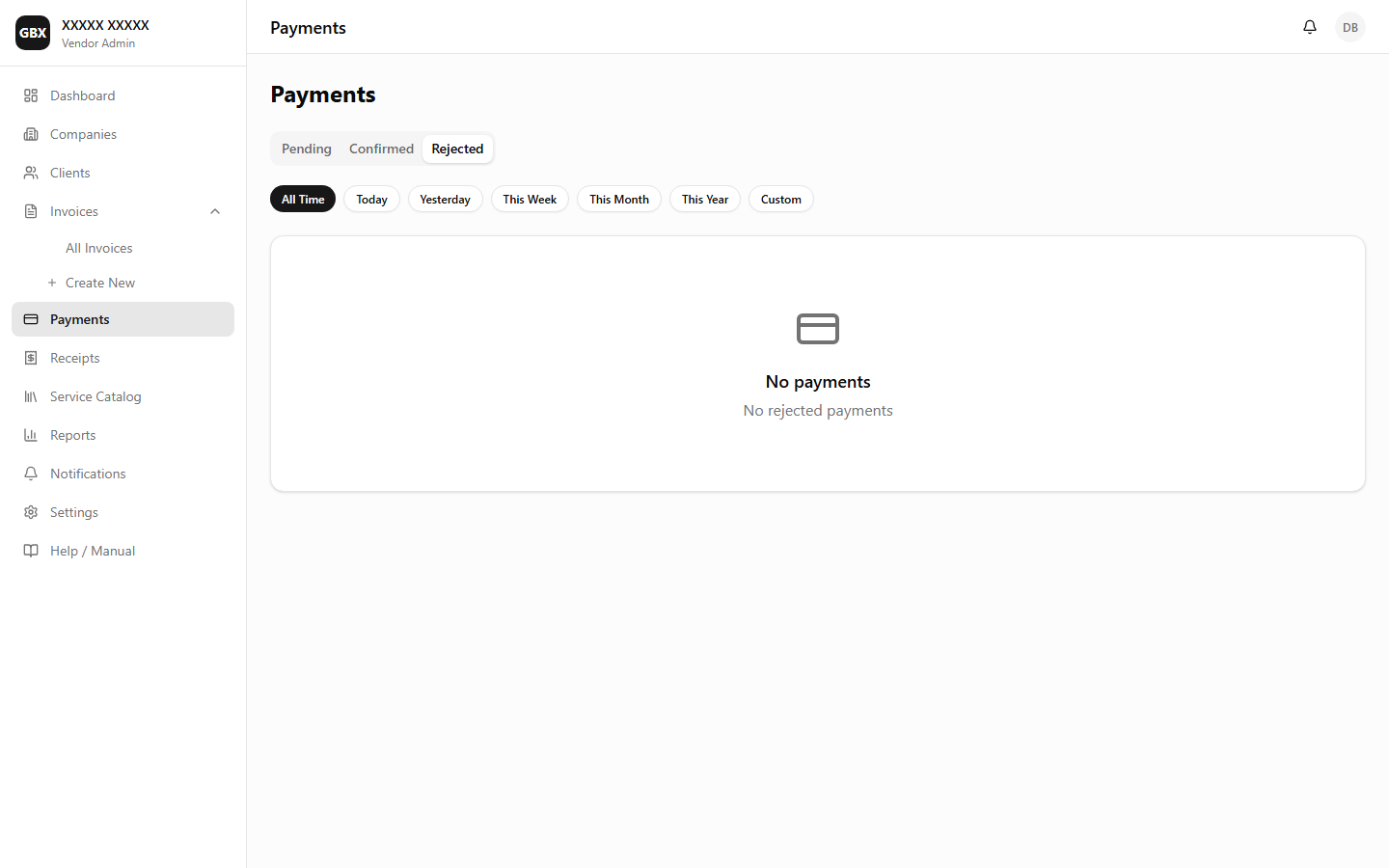
Track all payments with pending, confirmed, and rejected tabs. Support for partial payments, TDS deductions, and 7 payment methods.

Key Callouts

Payments — Overview
Payments — Overview
Payments — Pending tab
Payments — Confirmed tab
Payments — Rejected tab
Record Full Payment
Confirm / Reject Payment
11

Receipts

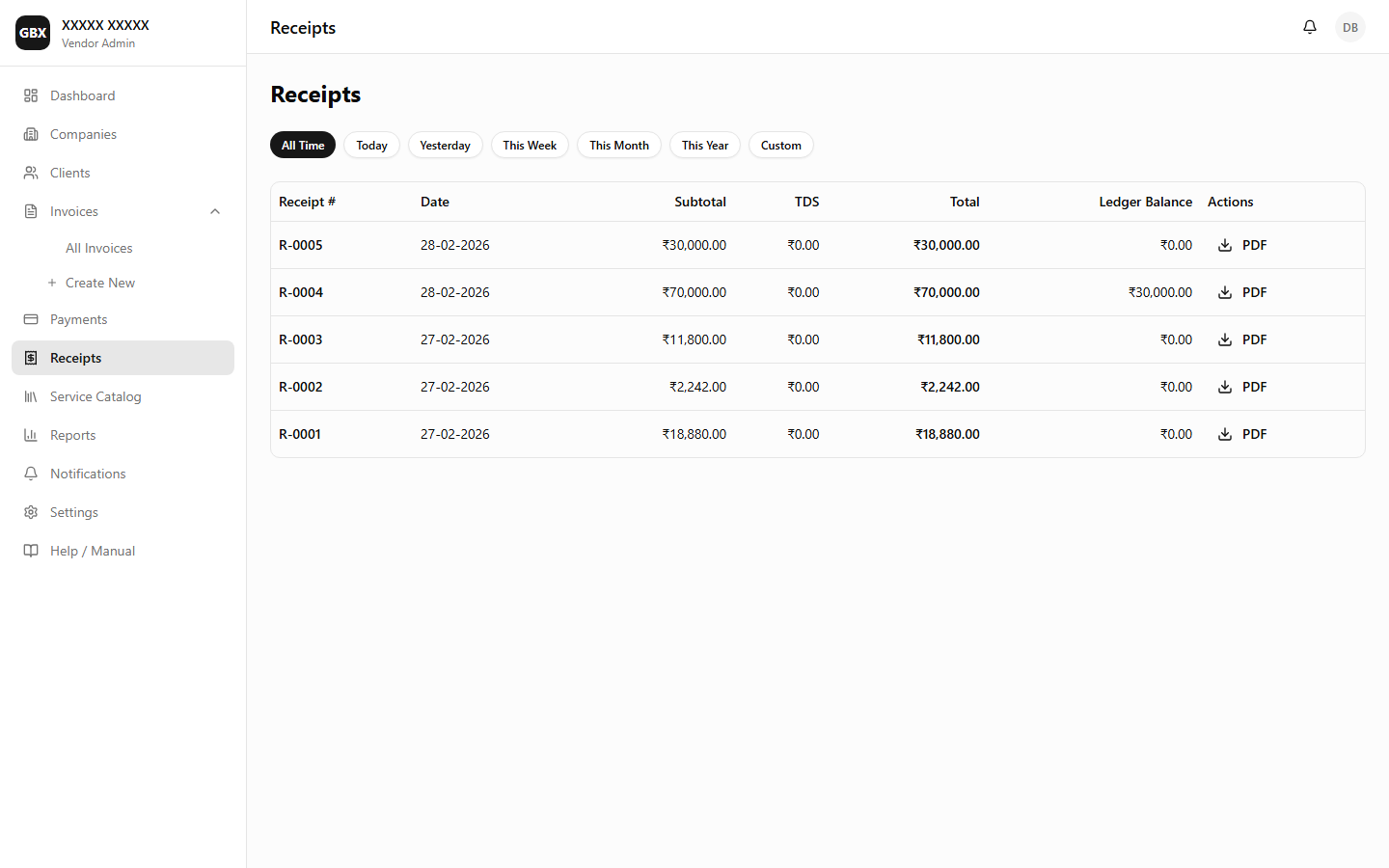
Auto-generated payment receipts with PDF download. Each confirmed payment produces a numbered receipt linked to the invoice.

Key Callouts

Receipts — Receipt list with download actions
Receipts — Detailed receipt list view
12

Reports

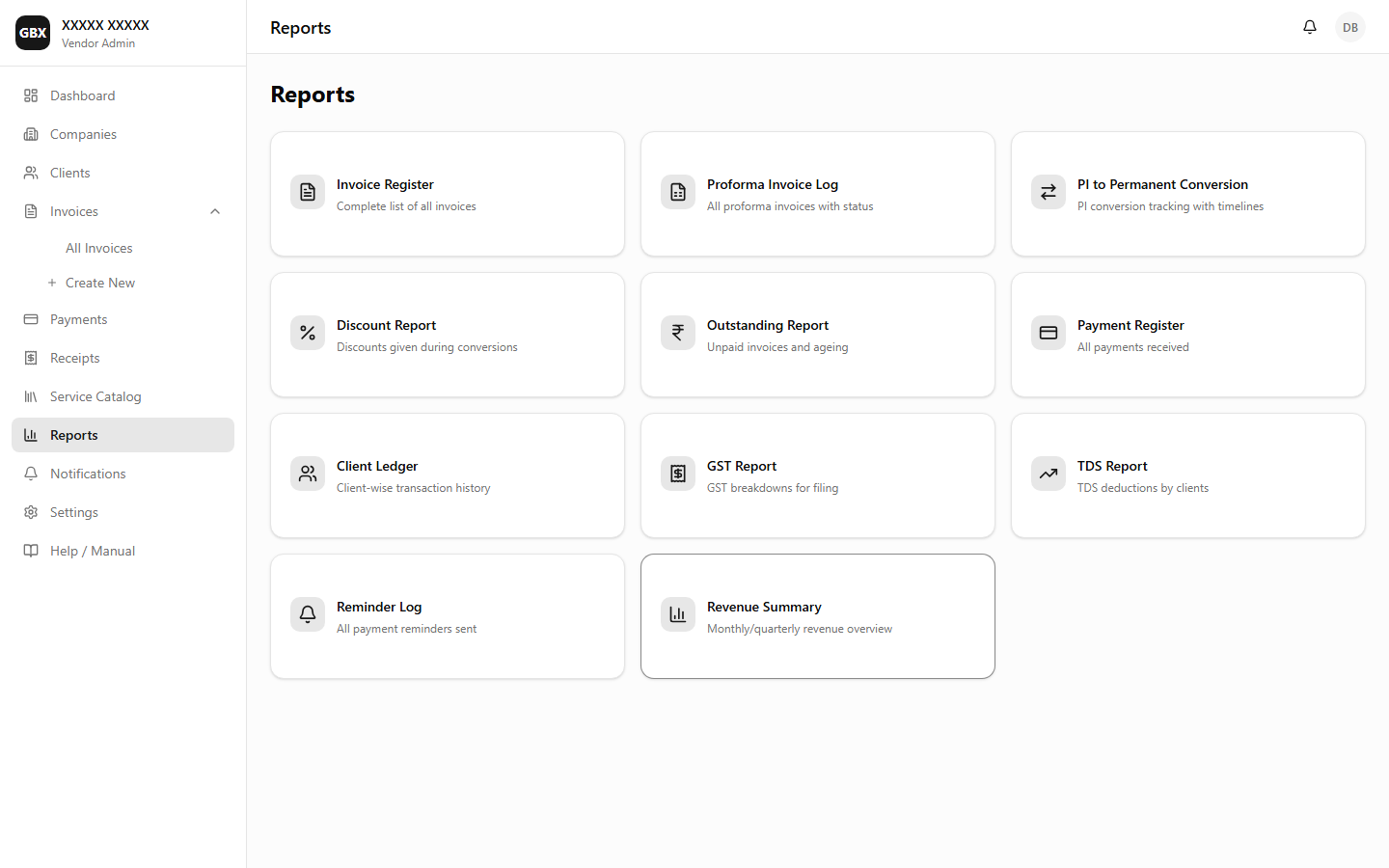
11 ready-made reports covering GST, TDS, outstanding, revenue, client ledger, payment register, and more. Export to JSON, Excel, or PDF.

Key Callouts

Reports — 11 report types with export options
Generate a Report
13

Settings

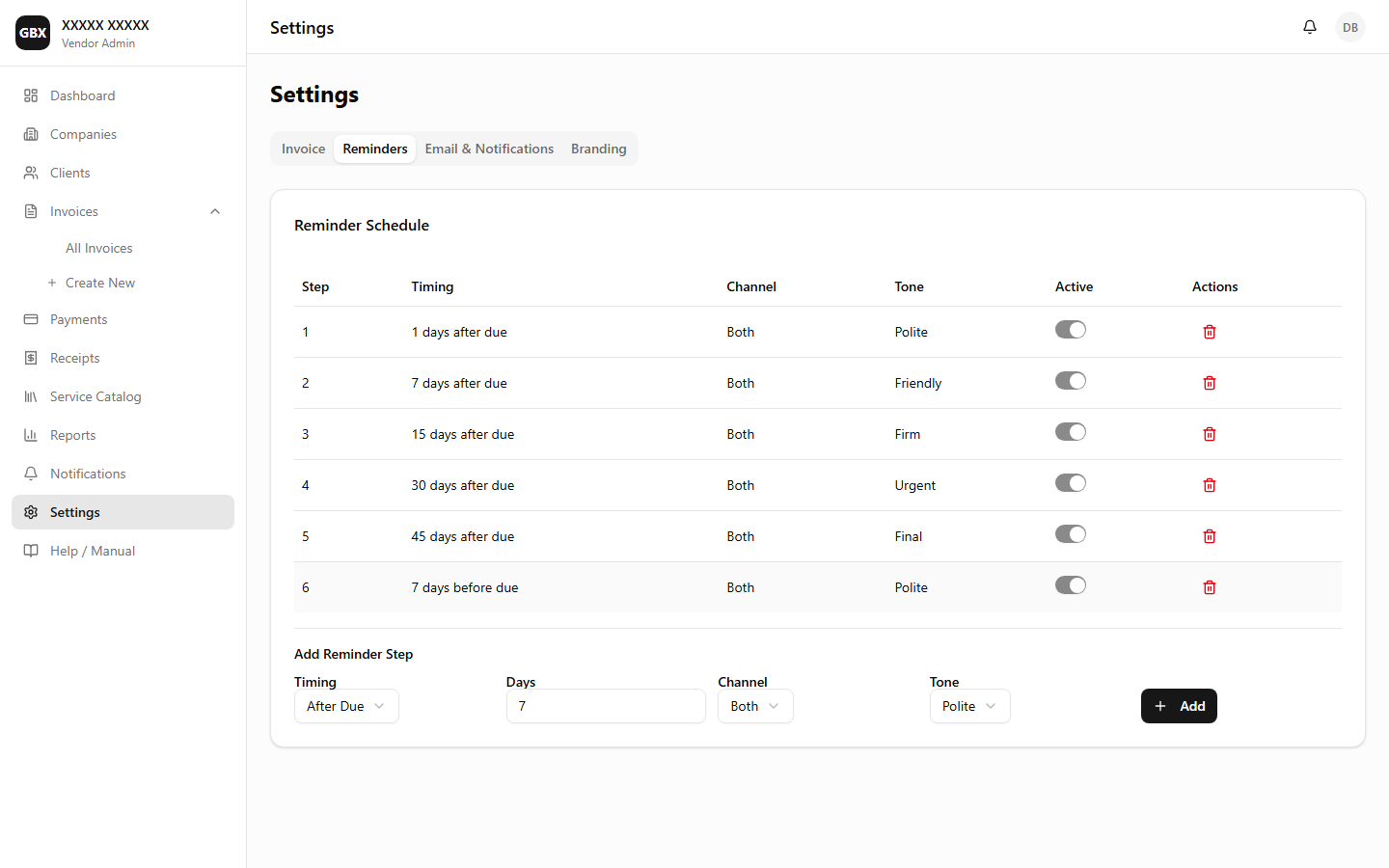
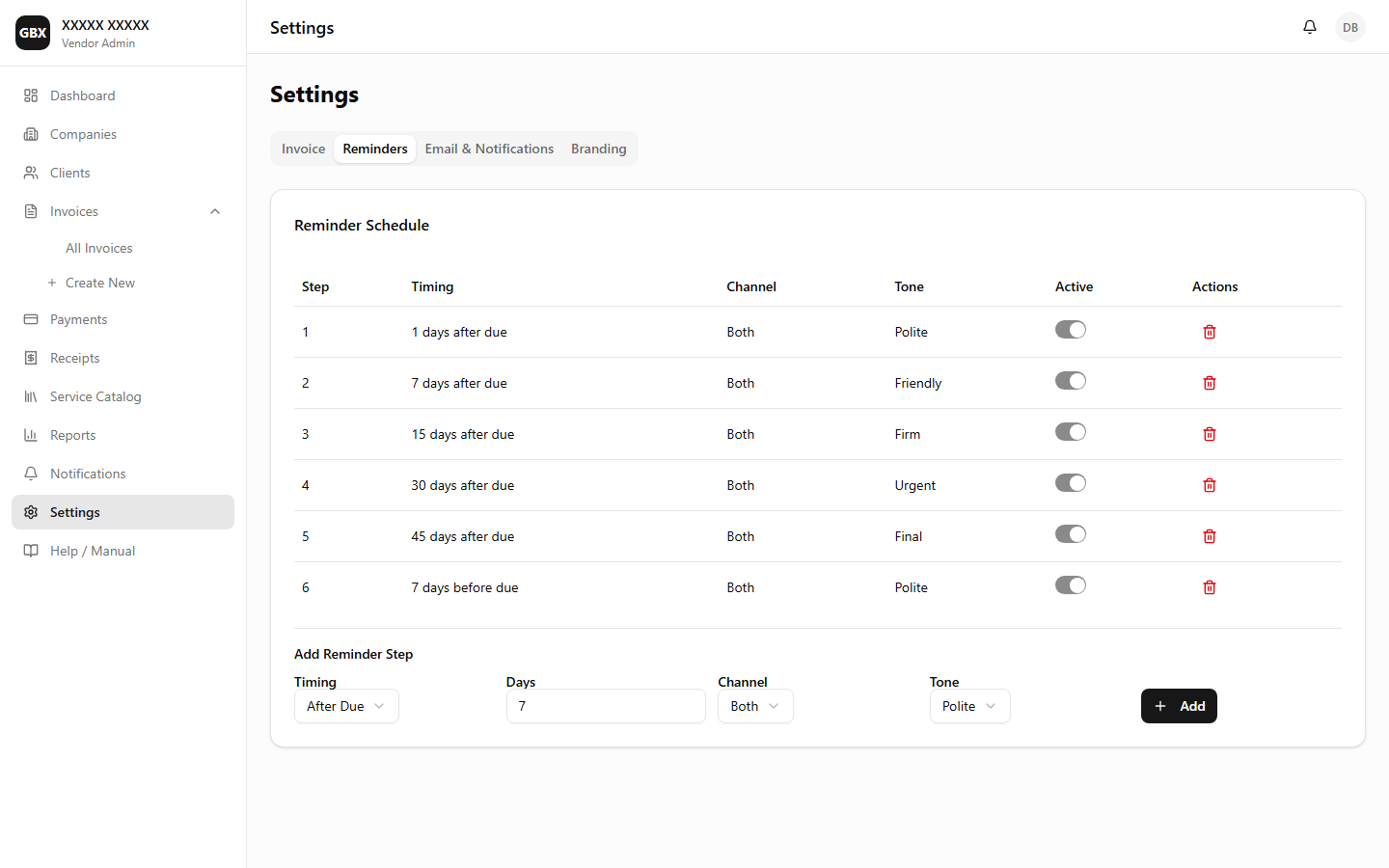
Configure reminder schedules with customizable timing, tone levels, and delivery channels. Manage email templates and test email delivery.

Key Callouts

Settings — Reminder schedule configuration
Settings — Reminder steps with tone levels
Configure Reminders
14

Client Portal

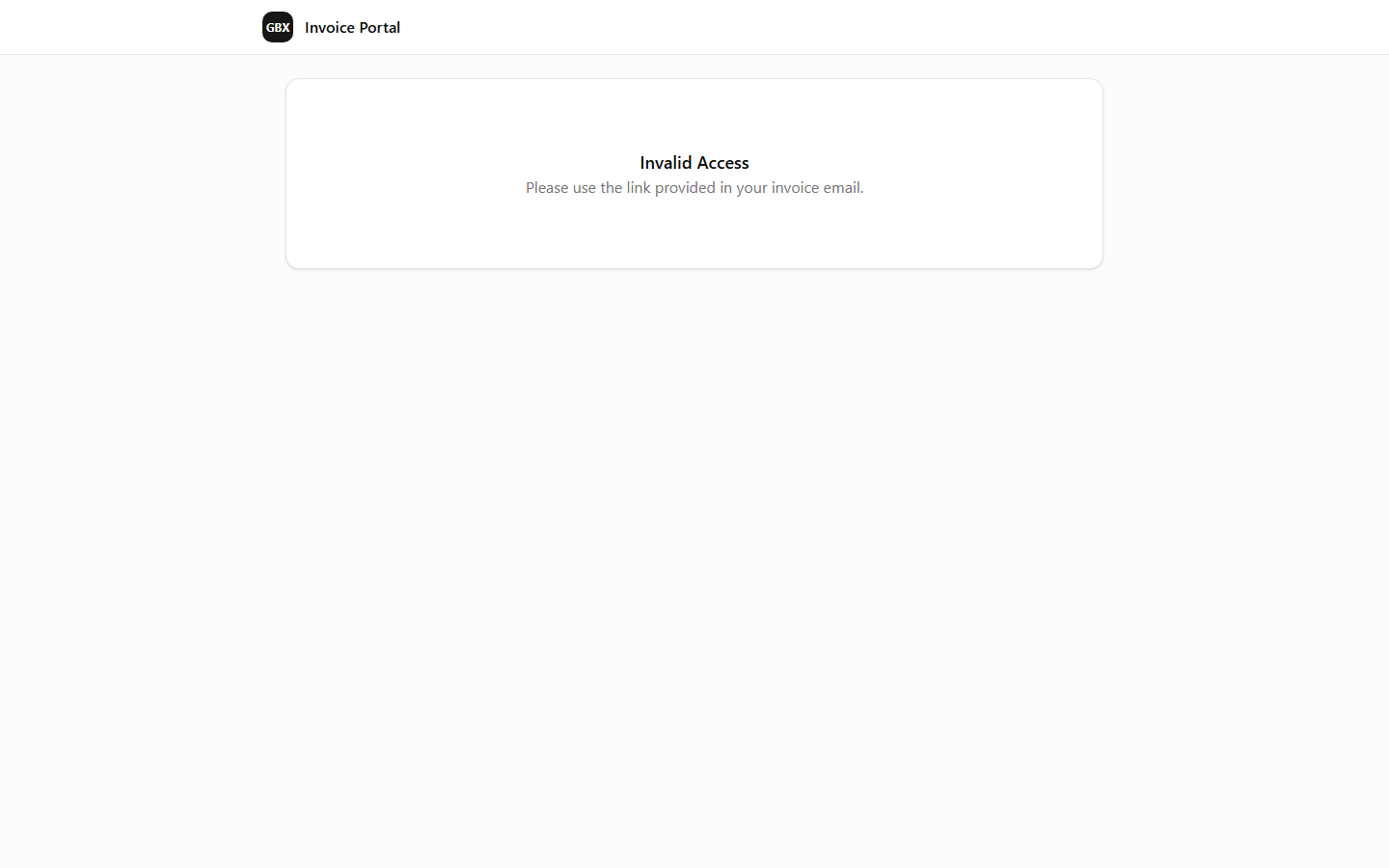
Self-service portal for clients to view invoices, mark payments, and upload payment proof — no login required. Accessed via a unique token link.

Key Callouts

Client Portal — Invoice view with payment actions
15

Admin Panel

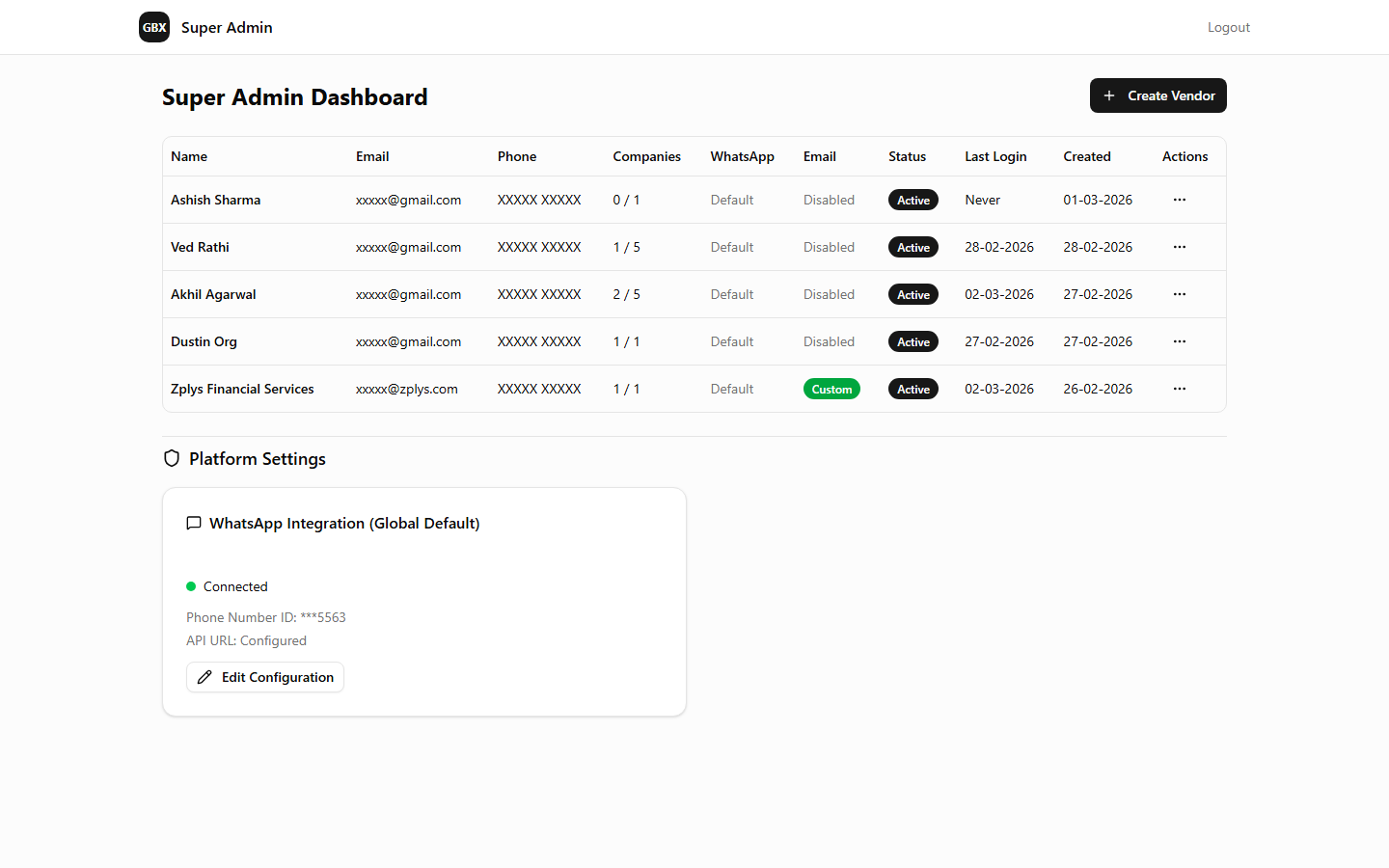
Super admin dashboard for managing vendors, configuring per-vendor WhatsApp and email settings, impersonation for support, and platform-wide operations.

Key Callouts

Admin Panel — Vendor list with configuration columns
16

User Manual (Built-in Help)

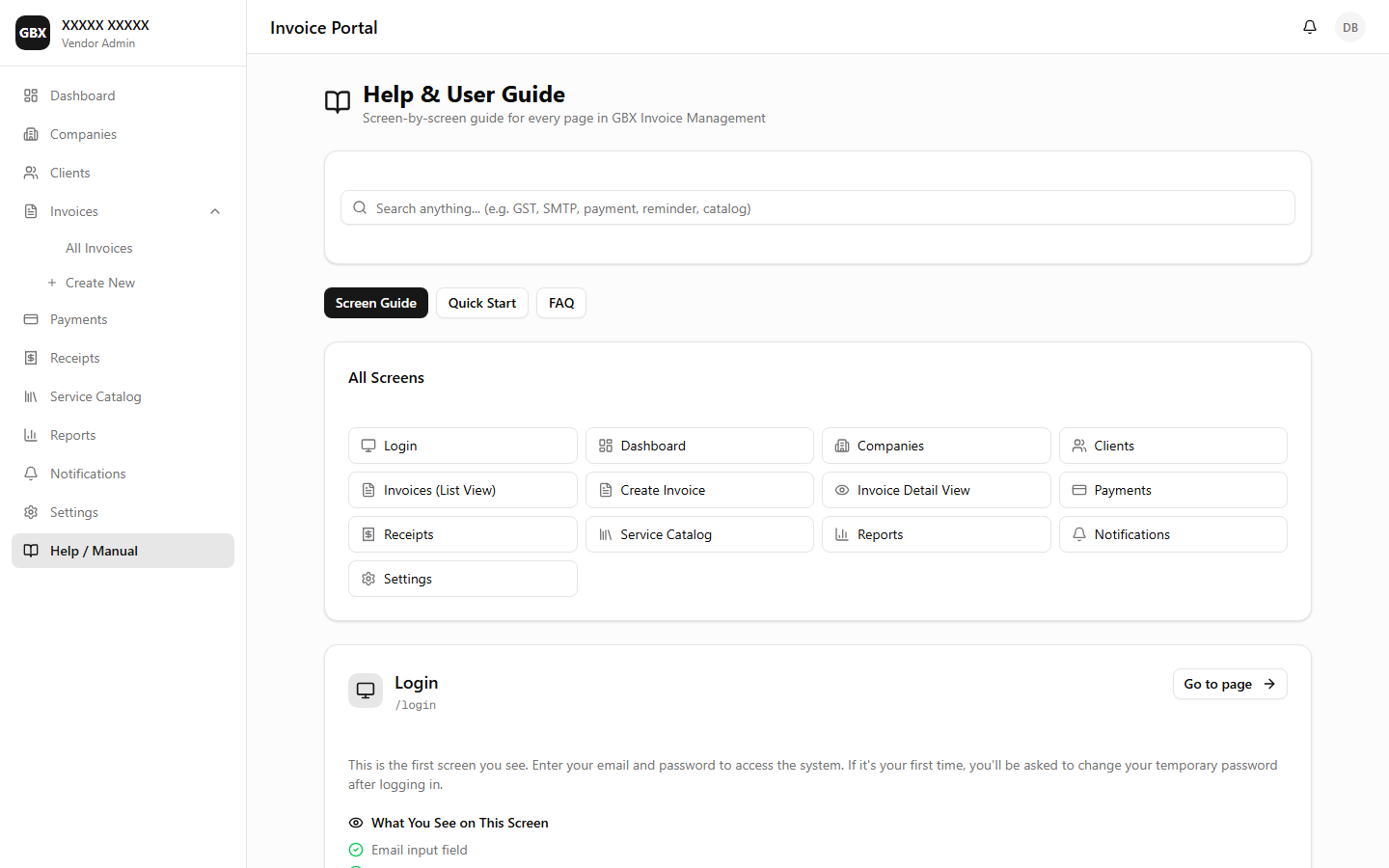
Comprehensive built-in user manual accessible from the navigation menu. Covers all features with step-by-step instructions and searchable content.

Key Callouts

User Manual — Built-in help with search
17

Signup & Free Trial

Self-service vendor registration with email verification and a 14-day free trial. New vendors get full access to every feature without providing payment details upfront.

Key Callouts

Signup & Free Trial
18

Subscription & Billing

Dedicated subscription management page with Razorpay-powered payments. View plan details, upgrade, renew, and manage billing — all from within the app.

Key Callouts

Subscription Management
19

Appearance & Themes

Personalize the platform with 8 professionally designed color themes and dark/light mode. Preferences are saved per user account and apply across all pages.

Key Callouts

Appearance & Themes
20

Notifications

Centralized notification tracking for all email and WhatsApp messages sent from the platform. Filter by type, channel, and delivery status to audit every communication.

Key Callouts

Notification History
21

Receipts

Auto-generated payment receipts with PDF download. Every confirmed payment creates a receipt with running ledger balance.

Key Callouts

Receipts
22

Invoice Cancellation

Cancel invoices with a documented reason. Cancelled invoices remain for audit but are excluded from outstanding and overdue calculations.

Key Callouts

Cancel Invoice

Appendix: Screenshot Capture Checklist

Use the table below to track the 22 screenshots needed for this guide. For best results, capture at the recommended browser width with the browser DevTools closed and any notification bars dismissed.

# Screenshot Name What to Show Width
1 Login & Authentication Login page with email/password fields and "Forgot Password" link 1280px
2 Dashboard Full dashboard with all 6 KPI cards, charts, and top clients table 1440px
3 Companies Company list page with at least one company card showing logo 1280px
4 Clients Client list with search bar and at least 3 clients visible 1280px
5 Service Catalog Catalog page with items grouped by category and HSN codes 1280px
6 Create Invoice Invoice form with 2+ line items and calculated GST totals 1440px
7 Invoice List Invoice list showing invoices in 3+ different statuses 1280px
8 Invoice Detail Invoice detail page with timeline tab and 2+ events 1440px
9 PI to Permanent Side-by-side comparison: PI vs Permanent with discount applied 1440px
10 Payments Payments page with 3-tab layout and pending payments 1280px
11 Receipts Receipts list with at least 2 receipts showing numbers and amounts 1280px
12 Reports Report type selector grid and a sample GST report with data 1440px
13 Settings Settings page with reminder schedule config showing tones 1280px
14 Client Portal Client portal with invoice details and "Mark as Paid" button 1280px
15 Admin Panel Admin vendor list with WhatsApp and Email config columns 1440px
16 User Manual User manual page with table of contents and search bar 1280px
17 Signup & Free Trial Signup page with registration form and free trial badge 1280px
18 Subscription & Billing Subscription page showing plan status and Razorpay checkout 1280px
19 Appearance & Themes Appearance page with theme grid and dark/light toggle 1280px
20 Notifications Notifications page with type/channel/status filters 1280px
21 Receipts Receipts list with date filters and PDF download buttons 1280px
22 Invoice Cancellation Invoice detail showing cancel button, reason dialog, and cancelled banner 1440px